



Introduction
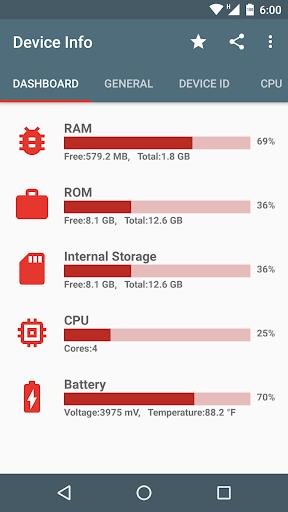
Discover everything about your Android device with Device Info! This all-in-one tool provides a detailed overview of your hardware, software, and system information. From checking battery health to analyzing storage and apps, running device tests and benchmarks to monitoring real-time data - Device Info has got you covered. With features like storage analysis, app details, and even a floating monitor for real-time data monitoring, this app is not only user-friendly but also packed with technical information that can be invaluable for troubleshooting. With minimal space usage and easy accessibility, Device Info is a must-have for anyone looking to keep their smartphone in top shape.
Features of Device Info:
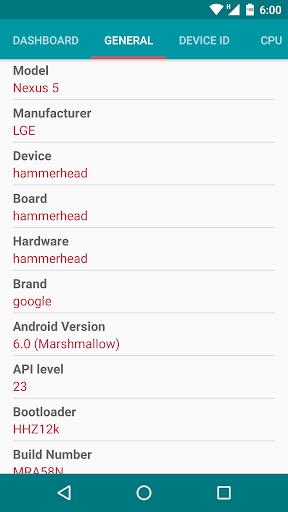
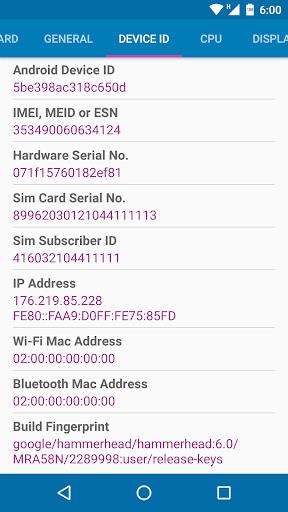
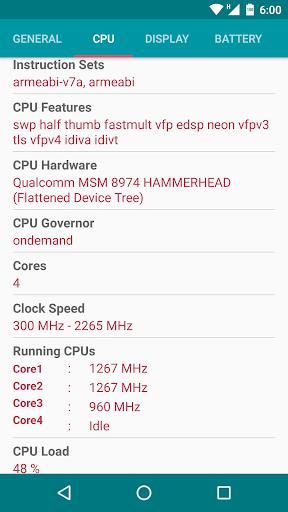
* Comprehensive Device Information: Quickly check hardware and software details of your smartphone.
* Storage Analysis: Easily find redundant, duplicate, and large files taking up space on your device.
* Apps Analysis: View target sdk, min sdk, native library, and permissions of apps installed on your device.
* Device Benchmark: Test hardware and view real-time sensor data to monitor performance.
* App Details: Get insights on activities, services, permissions, and more for each app.
* Floating Monitor: Keep track of real-time data like FPS, battery status, CPU & GPU performance on a floating widget.
Conclusion:
In conclusion, Device Info is a user-friendly and efficient tool for monitoring and managing the performance of your Android device. With its comprehensive features and easy accessibility, it is a must-have app for those who want to optimize their smartphone's health and performance. Click to download now and start taking control of your device!
- No virus
- No advertising
- User protection
Information
- File size: 11.70 M
- Language: English
- Latest Version: v2.10.0.0
- Requirements: Android
- Votes: 181
- Package ID: com.liuzh.deviceinfo
- Developer: Alphabet Labs
Screenshots























Comment