



Introduction
The Group Sharing app revolutionizes how Samsung Galaxy users connect and collaborate with friends and family. By creating dedicated share groups, individuals can effortlessly share photos, videos, calendars, notes, and reminders, fostering a collaborative environment for shared experiences. With features like shared albums in the Gallery app, collaborative calendars, shared notes in Samsung Note, and shared reminders through the Reminder app, staying organized and in sync has never been easier. The app even allows users to share profile photos with contacts and share Auto Hotspots for internet access. With easy access permissions and regular updates, Group Sharing enhances social connectivity and simplifies content sharing for all users.
Features of Group Sharing:
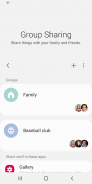
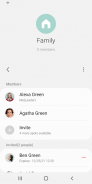
Simplified Content Sharing: Group Sharing offers a central management system for creating and managing share groups, making it easy for users to share various types of content seamlessly.
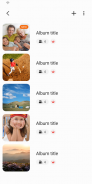
Collaborative Album Sharing: Users can upload photos and videos to shared albums, allowing group members to view, comment on, and contribute their own media. This feature enhances collaborative experiences, especially during shared events.
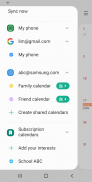
Shared Calendar Functionality: The app supports shared calendars, enabling users to create events, set reminders, and keep track of important dates together. This feature is beneficial for families or teams planning activities.
Note Sharing Capability: Users can share notes within their groups using Samsung Note, facilitating brainstorming sessions, project planning, and idea sharing. The versatility of shared notes with text, images, and sketches enhances collaboration.
Playing Tips:
Utilize Shared Albums: Make the most of the collaborative album sharing feature by uploading and contributing photos and videos from group events, vacations, or gatherings.
Coordinate Events with Shared Calendars: Stay organized by utilizing shared calendars to create events, set reminders, and keep track of important dates with other group members.
Collaborate Effectively with Shared Notes: Use the note sharing capability to brainstorm ideas, plan projects, and jot down thoughts that can be accessed and edited by all group members.
Conclusion:
Group Sharing offers a multitude of attractive features that enhance social connectivity and collaboration among users. With simplified content sharing, collaborative album sharing, shared calendars, note sharing capabilities, and shared reminders, the app provides a comprehensive platform for users to interact and engage with family and friends. By utilizing the playing tips provided, users can maximize their experience with Group Sharing and enjoy seamless content sharing and communication with their share groups. Download Group Sharing today to enhance your social connectivity and collaborative experiences.
- No virus
- No advertising
- User protection
Information
- File size: 18.60 M
- Language: English
- Latest Version: 13.7.10.25
- Requirements: Android
- Votes: 465
- Package ID: com.samsung.android.mobileservice
- Developer: Samsung Electronics Co., Ltd.
Screenshots
















Explore More
Stay connected wherever you roam with the best communication apps - absolutely free! Chat with friends on popular messengers, video call grandparents, message clients and more. With features like group chat, stickers, phone calls and HD video, you can easily collaborate on projects or share life's moments on the go. Download now to conveniently connect with loved ones without spending a dime!

Stipop

EssayPro

Animated Sticker For WhatsApp

Real Messenger

Learn Turkish - 50 languages

Date in Australia: Chat & Meet

TalkMate

Duckchat Club















Comment