


Introduction
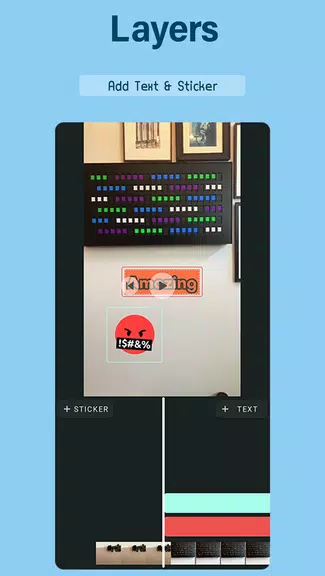
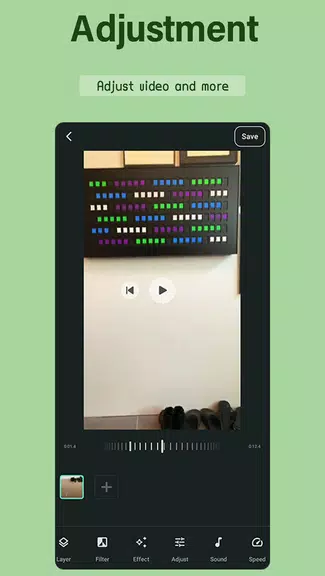
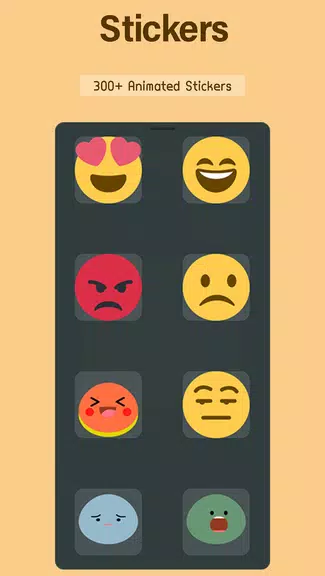
VideoLite is the ultimate pocket-sized powerhouse for all your social video editing needs. With its user-friendly interface, you can effortlessly trim, crop, and add text, stickers, and music to your videos, creating stunning visuals with stylish transitions. The ability to merge multiple clips, modify aspect ratios, and control playback speed gives you full creative control. The unique feature of extracting crisp MP3 audio from videos for voiceovers sets VideoLite apart from the rest. Whether you’re a social media influencer or just looking to create engaging content, VideoLite is the go-to app for seamless, professional-looking videos that make your storytelling pop.
Features of VideoLite:
- Intuitive controls: VideoLite offers a user-friendly interface that allows for easy editing, even for beginners. With straightforward tools and options, creating high-quality videos is a breeze.
- Professional results: Despite being a lightweight app, VideoLite delivers professional-looking videos with features like filters, transitions, and customizable text. Your videos will stand out on social media platforms with minimal effort.
- Creative freedom: VideoLite empowers users to unleash their creativity with a wide range of editing options, including voiceovers, music integration, and customizable text styles. The app provides the tools needed to bring your vision to life.
- Export options: With the ability to export videos in 720p or Full HD quality at different frame rates, VideoLite ensures that your content looks sharp and polished on any platform. You can easily share your creations with the world in stunning clarity.
FAQs:
- Does VideoLite add a watermark? Free video editors often add watermarks, but VideoLite’s description doesn’t specify. Check app store details or export a test clip to confirm licensing terms.
- Can I edit 4K footage? Given the max export is Full HD (1080p), it's likely optimized for 1080p or lower resolutions. Importing 4K may trigger automatic downscaling.
- Are there project time limits? The description doesn't mention restrictions, but lightweight apps sometimes limit video duration (e.g., 5-10 mins). Test merging longer clips to see performance.
- Is voiceover recording easy? Yes! The "voice-over" feature integrates directly into your timeline, letting you record narration live while previewing your visuals.
- Can I remove the app’s stock music later? Absolutely. All added assets (music, stickers, text) appear as editable layers, letting you delete or replace them anytime before export.
Conclusion:
In conclusion, VideoLite is a pocket-sized powerhouse that has become my go-to social video editor. With its intuitive controls, professional results, creative freedom, and versatile export options, the app offers everything needed to create engaging and polished videos for social media. Whether you're a beginner or a seasoned video creator, VideoLite streamlines the editing process and allows your creativity to shine. Say goodbye to complex editing tools and limited features—VideoLite is the solution for effortless and professional video editing. Download the app today and elevate your social media presence with stunning videos.
- No virus
- No advertising
- User protection
Information
- File size: 28.60 M
- Language: English
- Latest Version: 1.21.0
- Requirements: Android
- Votes: 490
- Package ID: com.appgozar.videoeditor
- Developer: AppGozar
Screenshots
















Explore More
Level up your phone with the most helpful tools for Ultimate productivity. From image editors and file managers to task trackers and weather widgets, these top-rated essentials make everyday tasks smooth and easy. Get organized, save time and optimize workflows with a powerful toolbox by downloading these editor's choice utilities today. Your phone will never be the same again!

Elra

Take and Go

UK Newspapers

NBC 5 Chicago

Etransport

Learn German Fast: Course

Football Logo Maker

Make A Wish Come True Genie














Comment